Start a Breathe session on Apple Watch
Open Mindfulness
5 secOpen the Mindfulness app on your Apple Watch.
Set the duration
10 secTap the more button next to Breathe, tap Duration, and pick a time between 1 and 5 minutes.
Adjust breath rate and haptics (optional)
30 secOpen Settings on the watch, tap Mindfulness, then tap Breath Rate to set breaths per minute, or Haptics to choose None, Minimal, or Prominent. You can also change these in the Watch app on iPhone under My Watch > Mindfulness.
Start and follow
1–5 minTap Breathe. Inhale slowly as the animation grows and exhale as it shrinks. To end early, swipe right and tap End.
Check your summary
10 secYour heart rate appears on the summary screen. You can find it later in the Health app on iPhone.
What Apple's Breathe session is good for
The Breathe session in Apple's Mindfulness app is free, built in, and simple. You follow one animation in and out, at a breath rate you choose, for 1 to 5 minutes. It also offers reminders and a weekly summary. If an even in-and-out rhythm is all you want, it's a great place to start. Set the breath rate to five or six a minute and you have something close to coherent breathing.
A pattern app that cues each phase on your wrist is easier than counting in your head.
When you want a breathing pattern app
Many popular techniques have holds or uneven timings that a single in-and-out animation doesn't cover: 4-7-8 (hold 7, exhale 8), box breathing (four equal sides with two holds), and 7-11 (a much longer exhale). For those, a pattern app that cues each phase on your wrist is easier than counting in your head.
What to look for in a breathing app for Apple Watch:
- Distinct haptics for each phase, so you can follow with your eyes closed.
- The patterns you actually use, with the timings shown.
- Short session options (a minute or two) for real-life use.
- Apple Health support, so sessions count toward Mindful Minutes.
- No paywall surprises: check for subscriptions, ads, and account requirements.
Birch on Apple Watch
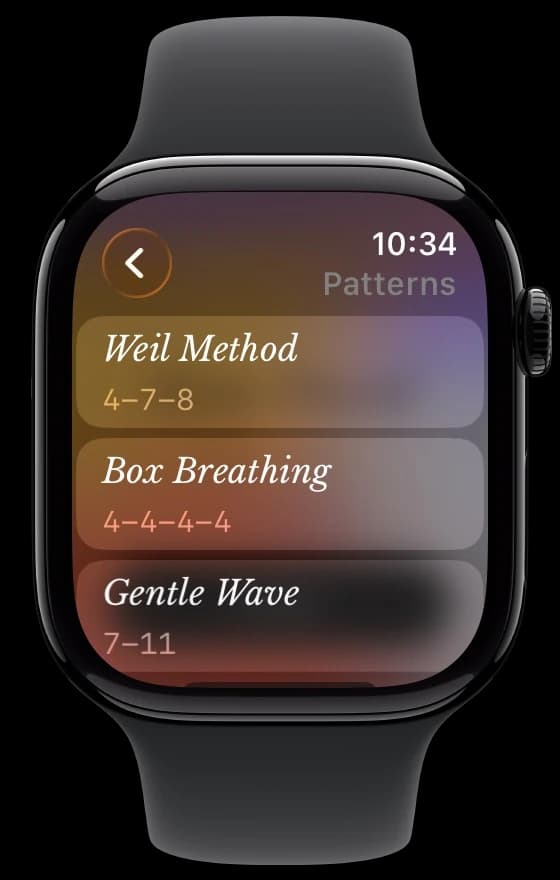
Birch's Watch app (new in Birch 3.5) has six patterns: Weil Method 4-7-8, Box Breathing 4-4-4-4, Gentle Wave 7-11, Balance 3-3-6-3 (inhale 3, hold 3, exhale 6, hold 3), Heart Coherence 6-6, and Slow-Paced 4-6. Sessions run from 1 to 5 minutes, with gentle haptic cues for each breath. Completed sessions sync to Birch on your iPhone and can save Mindful Minutes to Apple Health. It requires watchOS 11 or later and is free, with no ads, no subscription, and no account.
On iPhone, Birch puts your breathing beside simple daily habits, like drinking water, taking vitamins, or a walk, so you can see both across your week and month.
Requires watchOS 11 or later.Download on theApp Store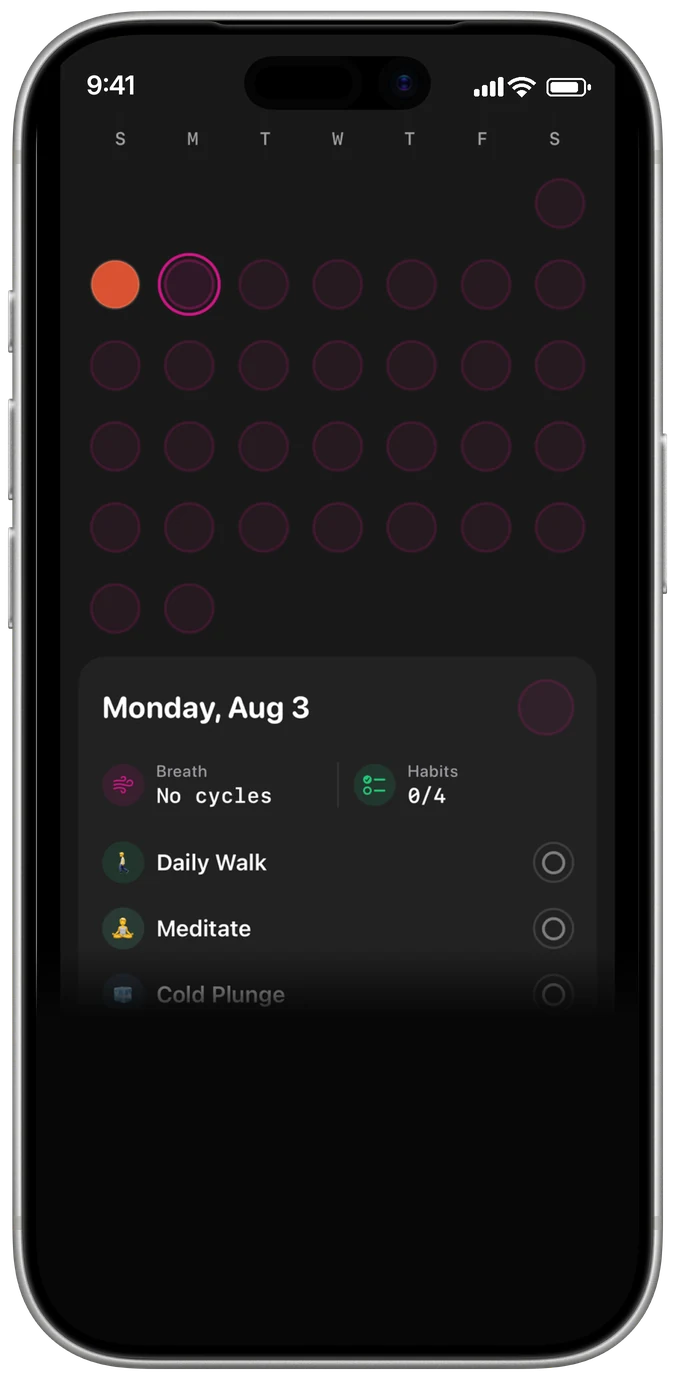
Who it's for
Apple Watch breathing works best for quick resets during the day, when pulling out a phone isn't practical, and for bedtime, when you don't want a bright screen. If you just need a nudge to breathe slowly, Apple's Breathe is enough. If you've learned a specific pattern, use an app built for it.
Common mistakes
- Staring at the screen. Turn up haptics and close your eyes. Your wrist will tell you when to switch.
- Setting the rate too slow too soon. Very slow rates can feel like a struggle at first. Start around six breaths a minute.
- Dismissing every reminder. Move reminders to times you can actually breathe (after lunch, before bed) instead of ignoring them.
How long to practice
Apple's sessions run 1 to 5 minutes, and so do Birch's Watch sessions. That range lines up with common guidance, like Cleveland Clinic's three or four rounds of box breathing once or twice a day, or the NHS's at least 5 minutes of slow breathing. See how to build a daily breathing habit.
Frequently asked questions
How do I change the breathing rate on Apple Watch?
Open Settings on the watch, tap Mindfulness, then Breath Rate, and choose breaths per minute. You can also do it in the Watch app on iPhone: My Watch > Mindfulness.
What's the difference between Reflect and Breathe?
In Apple's Mindfulness app, Reflect gives you a theme to read and focus on. Breathe guides slow breathing with an animation that grows and shrinks.
Can Apple Watch do box breathing or 4-7-8?
The built-in Breathe session is an in-and-out rhythm without set holds. Birch's free Watch app has Box Breathing 4-4-4-4 and Weil Method 4-7-8 presets with haptic cues.
Do Birch's Watch sessions count toward Mindful Minutes?
Yes. Completed sessions can save Mindful Minutes to Apple Health and sync to Birch on your iPhone.
What's the best free breathing app for Apple Watch?
It depends on what you need. Apple's Breathe is free and built in for even breathing. Birch is free for patterned breathing (4-7-8, box, 7-11, and more), with no ads, no subscription, and no account.
Which watchOS version does Birch need?
watchOS 11 or later.
More breathing guides







Breathe along with Birch
Birch paces every pattern on this page for you on iPhone, and on Apple Watch with gentle haptic cues, so you can keep your eyes closed. Keep small daily habits beside your breathing. Free, with no ads, no account, and no subscription.
Download on theApp Store
Sources
- Apple Support — Start a Reflect or Breathe session on Apple Watch
- Cleveland Clinic — Box Breathing Benefits and Techniques
- NHS — Breathing exercises for stress
This guide is for general wellness and education. Birch is not a substitute for professional medical advice. Stop if you feel dizzy or unwell, and talk to a clinician about any health concern.